You’ll always know where you stand when you use myBoiseState to check your To-Do’s and Holds.
- Log in to myBoiseState
- Check your internet settings to allow pop-up screens
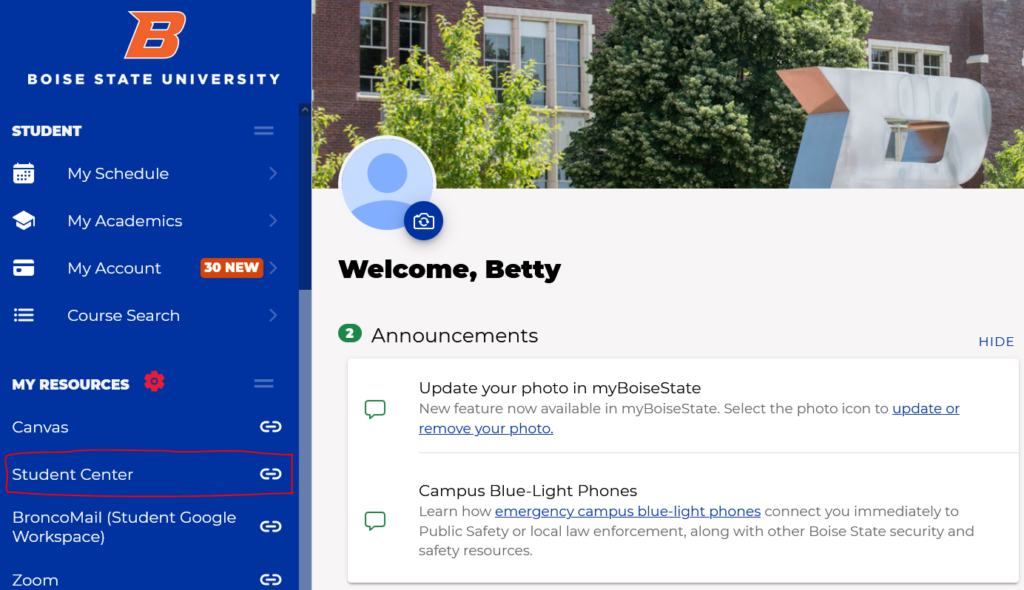
- Select Student Center (under BroncoMail)
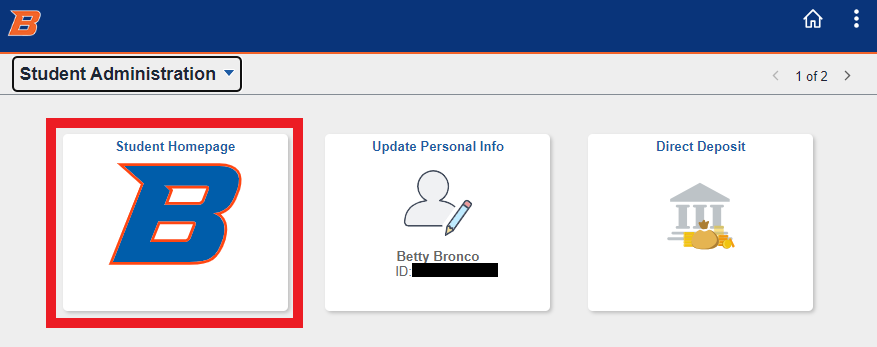
- Select the Student Homepage tile
- Select the Tasks tile
- Click the Hold or the To Do List tab from the left column to display your action items
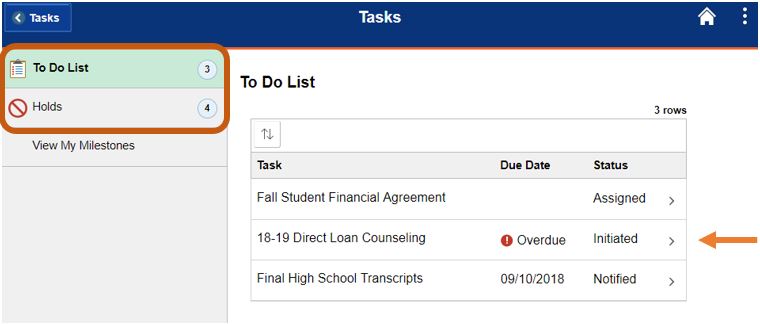
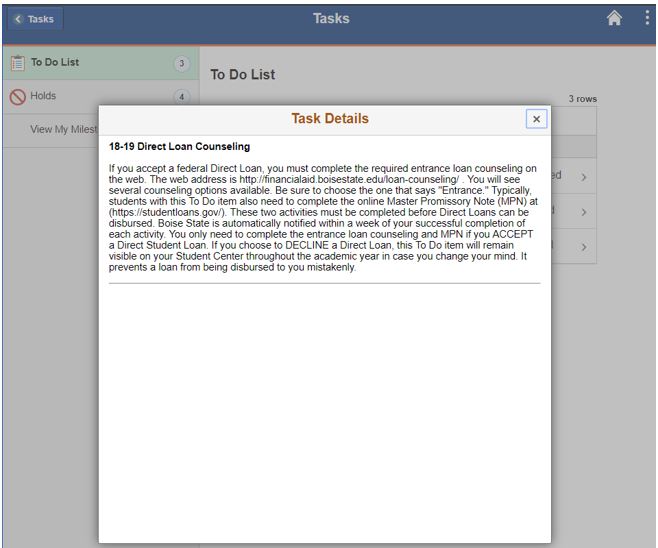
- Click the title of each To Do item to read specific instructions and directions
- To Do’s are usually for a full academic year, but some are for a specific semester. A separate To Do is listed for each semester as needed.
- If you are not enrolled for that semester, ignore the To Do
- If you want financial aid for that semester, follow up on your admission status
- Once you complete a To Do, it no longer appears on the screen. Some items do require review once submitted and may not be removed immediately.
- You can click on the title of each Hold to read the alert regarding your account