How to Create an IMLeagues Account

How to Register

FIRST TIME PARTICIPANTS

1. Go to www.imleagues.com/boisestate

Orange boxes with arrows pointing to Boise State ID sign in and spouse or community member sign in
Signing in to your BSU account. Select the Blue box if you are a Boise State student, faculty, or staff member. Select the white/gray box if you are a spouse or a community member at the Student Recreation Center.
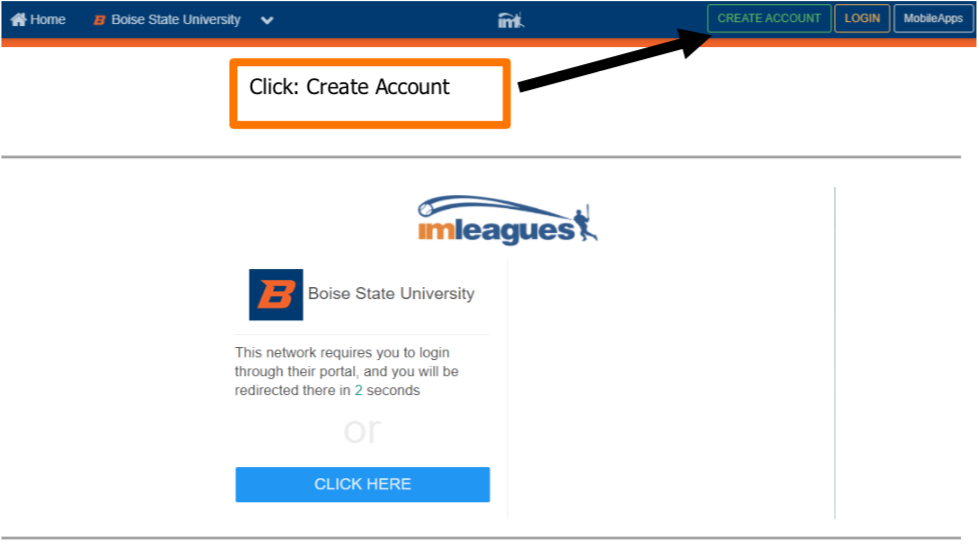
Orange box highlighting text Click: Create Account with an arrow pointing to Create Account button
Click the “Create Account” button
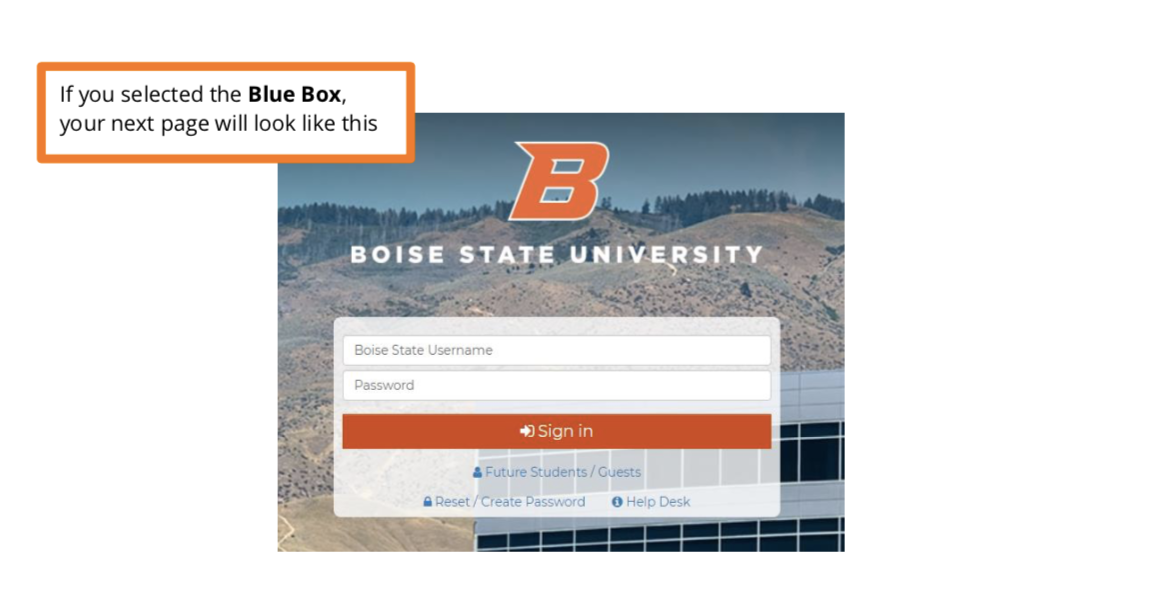
BSU landing page after clicking the Blue Box to sign in
Boise State student, faculty, and staff member login landing page.
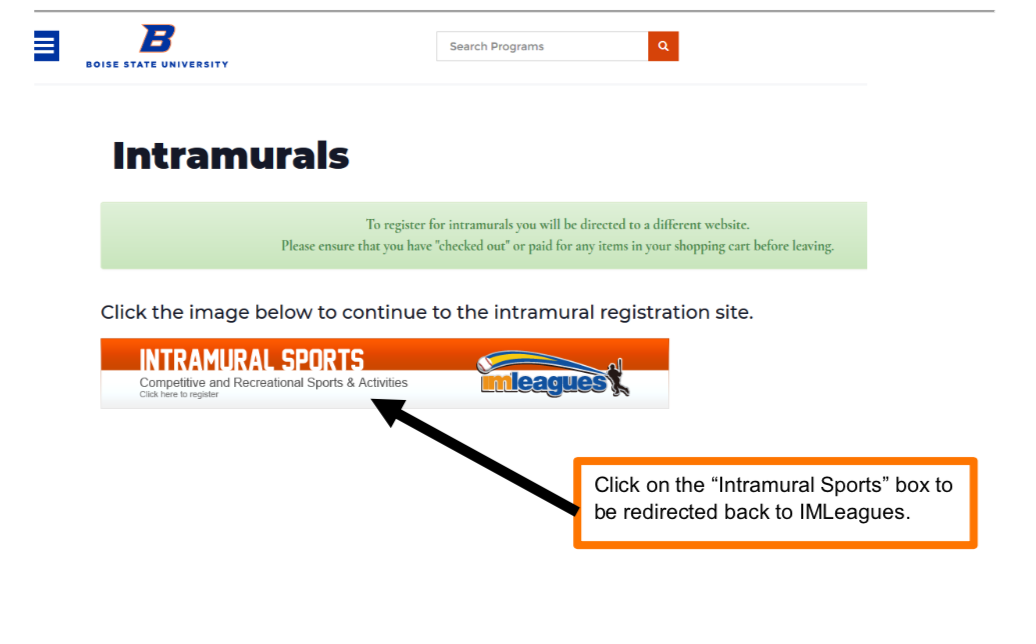
Orange box surrounding text with an arrow pointing towards "Intramural Sports" image
Click on the “Intramural Sports” image to be redirected back to Intramural Leagues (IMLeagues).
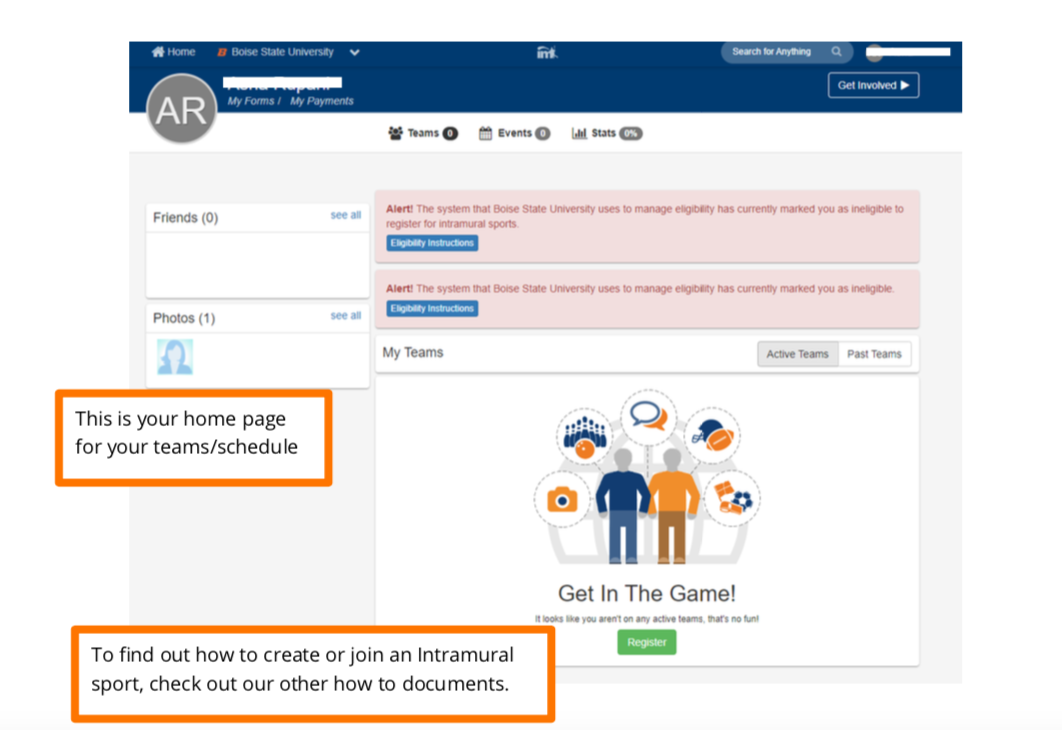
Homepage for intramural sports profile. Includes Teams, Events, Stats, and other information.
Homepage for intramural sports profile.
Boise State University IMLeagues registration form, with autofill instructions for name and email
Boise State University IMLeagues registration form. First and last name fields will autofill. Enter the email associated with you’re Rec Center membership.